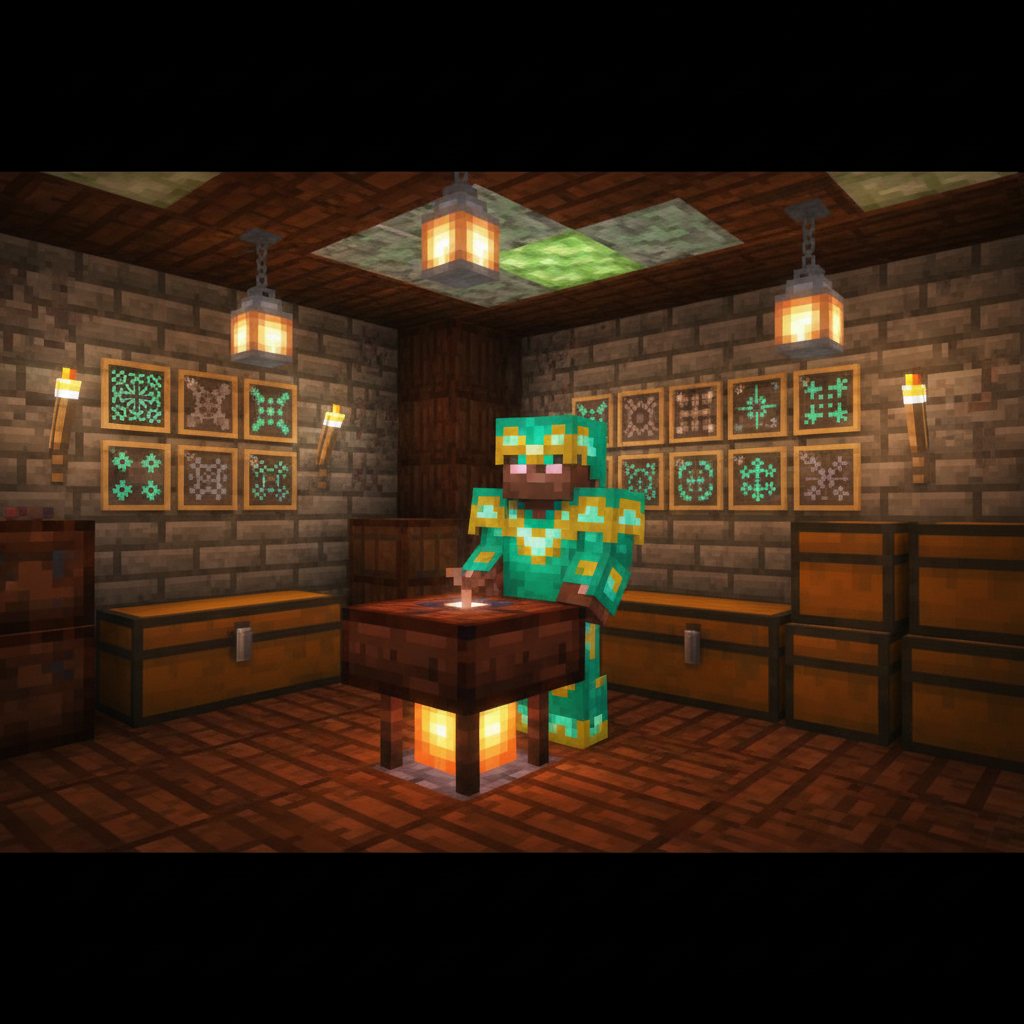
Armor Trims: Finding and Duplicating Smithing Templates
Armor trims let you customize armor patterns and colors using Smithing Templates. Works in Minecraft Java Edition 1.20+ and Bedrock Edition 1.20+ (UI labels may differ slightly between editions).
Armor trims let you customize the look of your armor by applying decorative patterns in different materials (like iron, gold, emerald, diamond, netherite, and more). To use armor trims, you need a special item called a Smithing Template (specifically, an Armor Trim Smithing Template). These templates are found as loot in specific structures, and once you find one, you can duplicate it so you don’t have to keep hunting the same structure repeatedly.
This guide focuses on two core skills: finding armor trim smithing templates and duplicating them safely and efficiently, with clear edition notes for Java Edition and Bedrock Edition. It also includes a detailed step-by-step workflow, testing steps, common pitfalls, and practical advice for long-term survival worlds.
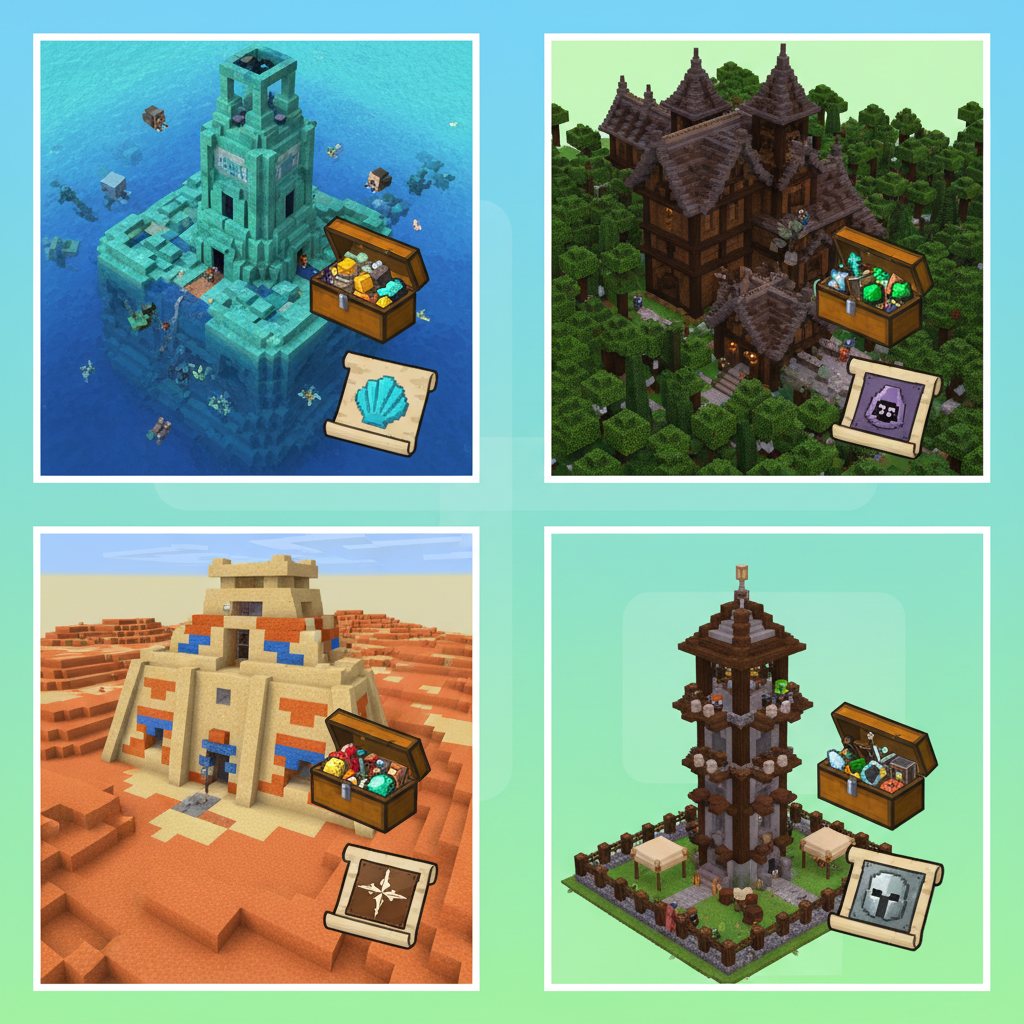
What You Get
By following this guide, you’ll be able to:
1) Identify which structures can contain armor trim templates. You’ll know where to search in the Overworld, Nether, and End, and what kinds of loot containers commonly hold templates.
2) Bring home at least one original template safely. The first template is the important one—duplication only becomes possible after you own an original.
3) Duplicate templates reliably. You’ll learn the exact recipe concept: one template + diamonds + the correct “matching block” yields two templates (your original plus a new copy).
4) Verify that your duplicates work at the smithing table. You’ll test a duplicate by applying an armor trim to a piece of armor using a smithing table.
5) Avoid common mistakes. Many players lose diamonds, waste the wrong block, or confuse templates with upgrade templates. This guide highlights the most frequent issues and how to prevent them.
Requirements & Version Notes (Java vs Bedrock)
Minimum version: Armor trims and their smithing templates were introduced in Minecraft 1.20 (“Trails & Tales”). If you are playing on a version earlier than 1.20, armor trims and trim templates will not exist in vanilla gameplay.
Java Edition vs Bedrock Edition:
Both editions support armor trims, armor trim templates as loot, and the ability to duplicate templates using a crafting table. The overall mechanics are intended to match between editions in modern versions.
Differences you may notice: Loot distribution can feel different due to seed/structure generation patterns and how quickly you can locate structures (especially if you use commands). Also, UI layout differs: Java and Bedrock show smithing table and crafting interfaces slightly differently. The underlying concept—templates as items, duplication via crafting, and application via smithing table—remains consistent.
Worlds upgraded from older versions: If your world started before 1.20, you can still find trims in newly generated chunks after upgrading. Structures already generated in explored chunks might not contain the new loot. In practice, this means you may need to travel to unexplored territory to find templates naturally.
Mods, add-ons, data packs: If you use mods/add-ons that alter loot tables or crafting recipes, your results may differ from vanilla behavior. When in doubt, test the duplication recipe in a creative copy of your world.
Materials
A Crafting Table (used to duplicate templates)
A Smithing Table (used to apply trims to armor)
At least 1 Armor Trim Smithing Template (the “original” you found as loot)
Diamonds (duplication cost; duplication consumes diamonds)
The matching block for the template you want to duplicate (each trim template type has a specific block used in its duplication recipe)
Food, blocks, and survival supplies for structure exploration (especially for Nether/End structures)
Optional: Fire Resistance potions (highly recommended for Nether structures like bastions)
Optional: Ender chest or shulker boxes for safe transport and storage
Important note about “matching blocks”: Every armor trim template has a specific block associated with it for duplication. If you use the wrong block, you won’t get the duplication output. Because players often confuse which block goes with which template, the safest approach is: use the recipe book (if it shows the recipe), consult the in-game item tooltip hints, or test in a creative copy. When your cursor highlights a template, the UI often indicates that it can be “duplicated” and the general idea of required materials, but it may not always spell out every block in a way that’s easy to remember.
How the Mechanic Works
Armor trim smithing templates are items that unlock a specific decorative pattern (like a “rib” motif from Nether structures, or a “spire” motif from End cities). You use them at a smithing table along with:
1) A piece of armor (helmet, chestplate, leggings, boots; generally any armor material that supports trims in your version)
2) A trim material item (such as iron ingot, gold ingot, diamond, emerald, redstone dust, lapis lazuli, amethyst shard, nether quartz, netherite ingot, copper ingot, etc., depending on version)
3) The armor trim template you want to use
The template is not consumed when applying a trim (in standard behavior). That’s why getting your first template is such a major milestone: once you have it, you can apply that trim repeatedly to multiple armor sets. However, having duplicates is still valuable because:
1) Insurance against loss: You might die in lava, fall into the void, or lose items in a hardcore world scenario. Extra templates stored safely are a long-term safety net.
2) Multiplayer economy: On servers, templates become valuable trade goods. Duplicating them lets you share or sell them.
3) Convenience: You can keep one template in your base crafting area and another in an ender chest travel kit.
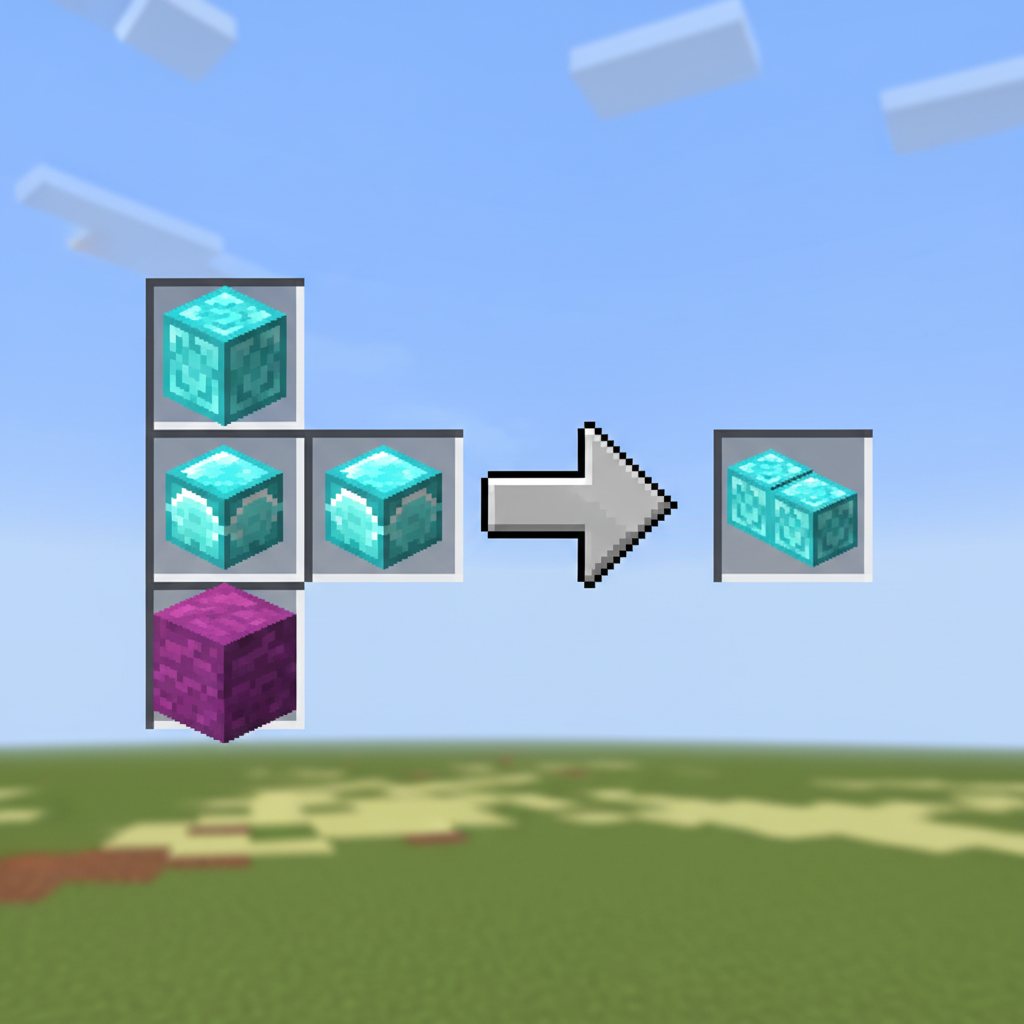
Duplication is performed in a crafting table using a recipe pattern that combines:
• 1 original template
• diamonds (commonly 7 diamonds in the surrounding pattern in vanilla, but always rely on the current recipe in your version)
• 1 matching block in the center (the block depends on the template type)
The result is 2 templates. One is effectively “your original returned,” plus one additional copy. The ingredients (diamonds and the center block) are consumed.
Why the matching block matters: The matching block ties the template to its theme and origin. For example, templates found in End Cities are thematically tied to End blocks. Nether templates tie to Nether blocks. Overworld temple/ruin templates tie to blocks related to those structures. If you’re not sure which block corresponds to which trim, do not guess with your diamonds on the line—use a safe test method (outlined in the steps below).
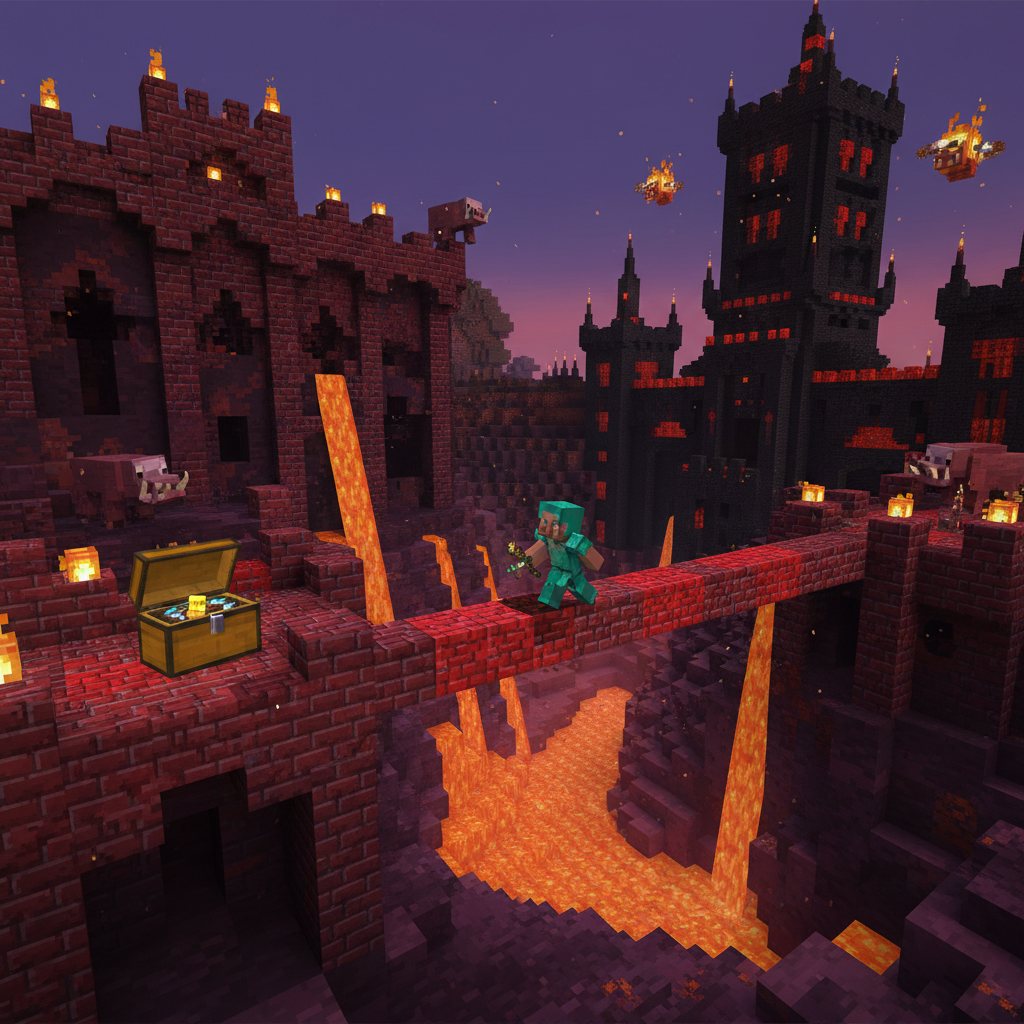
Step-by-Step: Finding and Duplicating Smithing Templates (8–12 Detailed Steps)
Step 1: Confirm you are on a version that supports armor trims and templates. Check your world version: you want Minecraft 1.20 or newer in both Java and Bedrock. If you upgraded from an older world, plan to travel to unexplored chunks to find templates in loot, because already-generated structures may not have updated loot tables.
Step 2: Choose a target template and plan the structure run. Armor trim templates are found in specific structures across dimensions. In general terms, you can find trims in places like ancient cities, desert temples, jungle temples, pillager outposts, ocean monuments, shipwrecks, trail ruins, nether fortresses, bastion remnants, end cities, and sometimes other high-value structures depending on the trim type. Your best approach is to decide what style you want first (Overworld vs Nether vs End), because each structure run has very different risk. If your goal is “any template quickly,” Overworld structures are typically safer than bastions or end cities.
Step 3: Prepare a structure exploration kit that prioritizes survival and loot safety. Bring strong gear (at least iron armor; diamond is better), plenty of blocks, food, and a way to secure loot if you die. In the Nether, bring Fire Resistance potions and consider gold armor to reduce piglin aggression. In the End, bring slow falling (if available in your version and playstyle), ender pearls, and extra blocks for bridging. Also bring a chest or shulker box to offload loot, and consider placing an ender chest near your exploration staging point to store templates immediately after finding them.
Step 4: Locate the structure efficiently and loot systematically. If you play without commands, use exploration methods appropriate to your world: follow maps, use villagers for certain maps (where applicable), look for biome indicators, and travel along rivers and coastlines. Once inside the structure, loot every chest carefully and methodically. Many players miss templates because they only check one chest or rush through. In dangerous structures (bastions, ancient cities, end cities), clear threats or establish safe paths first. If you find a template, immediately move it to a safe inventory location (like an ender chest) before continuing the run.
Step 5: Verify that the item you found is an Armor Trim Smithing Template, not something else. In modern Minecraft, smithing templates include multiple categories. The most commonly confused item is the Netherite Upgrade Smithing Template, which is used to upgrade diamond gear to netherite gear. That upgrade template is important, but it is not an armor trim pattern. An armor trim template will have a trim name (pattern name) and will be described as a smithing template used for trimming armor. If you are unsure, hover the item and read its description text carefully.
Step 6: Bring the template home and secure it before attempting duplication. Store your first template in a safe container at your base. Many players lose their only template by carrying it around “just for now.” Treat your first template like a rare artifact: put it in a chest (or ender chest) and only take it out when you are ready to duplicate. If you are on a multiplayer server, consider keeping the original locked away and using only duplicates for daily crafting.
Step 7: Identify the correct “matching block” for the template you want to duplicate, then gather the required diamonds. You will need diamonds (duplication consumes them), and you will need one block that matches that specific template’s duplication recipe. If you already know the correct block for your template, gather at least one. If you do not know, do not guess. Instead, use one of these safe identification methods:
• Check the recipe book in a crafting table if your edition/version displays the duplication recipe after obtaining the template.
• Use a creative test world (or a copied backup of your survival world) to experiment without risking diamonds.
• Use a cautious “diamond-light” test approach only if your version allows recipe preview (some interfaces show outputs before you take them). If no preview is available, avoid blind tests.
Step 8: Set up your crafting station and perform duplication in a controlled space. Place a crafting table in a safe room. Move the diamonds, matching block, and your original template into your inventory. Then open the crafting table UI. Arrange the ingredients according to the duplication pattern for templates: typically the template is part of the grid, diamonds occupy multiple slots around it, and the matching block is placed in the center. The output should show the template duplication result (two templates). Before you take the result, double-check that the output icon matches the exact template you intended to duplicate.
Step 9: Take the duplicated templates and immediately split storage: keep one “working copy” and one “vault copy.” Once you craft the duplicates, you will have more than one template. A best practice is to store at least one template as a backup that you almost never carry. Put it in a secure chest, ender chest, or shulker labeled for templates. Use another template as your “working” one for trimming armor or for further duplication. This ensures that a single mistake or death does not erase your ability to reproduce the trim indefinitely.
Step 10: Apply the trim once to confirm the template works, then scale up duplication as needed. Place a smithing table. Put a piece of armor in the appropriate slot, insert the trim material item you want (gold, iron, redstone, lapis, etc.), and add the trim template. Confirm the preview shows the trim pattern on the armor. Complete the operation and check the final item. Once confirmed, you can decide whether you want more duplicates (for friends, backups, or multiple bases). If you plan to duplicate many times, do it in batches and store outputs safely between batches.
Step 11: Create an organized template library for long-term use. Over time you may collect many trim patterns. Create a dedicated chest wall or shulker system labeled by trim name or by dimension (Overworld/Nether/End). Keep a “master set” of one each that you never carry, plus a traveling set. This prevents accidental loss and makes crafting sessions faster.
Step 12: (Optional but recommended) Keep a record of where you found each trim. If you ever want to collect multiple originals, or help friends find them, note the coordinates and structure type. This is especially useful on servers where you may be asked to prove a location is already looted or to guide someone to a similar structure.
Testing Your Result
After duplication, you want to confirm two things: (1) the duplicate is valid and (2) it produces the expected trim pattern.
Test 1: Template identity check. Hover over the duplicated template in your inventory and confirm its name matches the original template exactly. If your version displays additional descriptive lines, make sure those also match (for example, that it is an armor trim template and not another template type).
Test 2: Smithing table preview check. Open the smithing table. Insert a simple test armor piece (for example, an iron chestplate), add a common trim material (like iron or gold), and insert the duplicated template. The preview should show a clear trim pattern in the chosen material color. If the preview shows nothing, you may have inserted the wrong item type or you may be using an armor piece that cannot accept trims in your version (most standard armors can, but modded or unusual items may not).
Test 3: Finished item inspection. Complete the smithing operation and remove the trimmed armor. Check the armor’s appearance on your character model. If you have multiple trim materials, repeat the test with a different material to ensure the pattern stays the same while the trim color changes.
Test 4: Storage and redundancy check. Put one copy back into secure storage and confirm you can still apply trims with your “working” copy. This helps you avoid the most painful scenario: accidentally carrying all copies and losing them together.
Common Mistakes
Mistake 1: Confusing armor trim templates with the Netherite Upgrade template. The Netherite Upgrade template is required for upgrading diamond gear to netherite gear (in versions that use templates for netherite upgrading), but it is not an armor trim pattern. Make sure you read the item name and description.
Mistake 2: Assuming the template is consumed when trimming armor. In normal gameplay, the template is not consumed when applying a trim at the smithing table. If you are losing templates during trimming, you may be on a modded server or using a custom recipe pack that changes behavior.
Mistake 3: Guessing the matching block for duplication and wasting resources. Diamonds are valuable, especially early game. If you do not know the correct matching block, verify the recipe first using recipe book support, a creative test, or a trusted reference that matches your game version and edition.
Mistake 4: Duplicating before securing your first template. If you bring your first template into a dangerous area (Nether lava lakes, End void bridges) before you duplicate it, you risk losing it. The safest workflow is: find template → store safely at base → then duplicate.
Mistake 5: Looting only the “obvious” chest locations. Some structures hide loot in less obvious places (upper floors, side rooms, underwater compartments, behind suspicious blocks in archaeology sites, etc.). If you are hunting a specific trim type, be thorough and consider that not every structure instance guarantees the template.
Mistake 6: Not accounting for world generation timing. If you upgraded an older world, you may search structures in explored chunks and find none of the new templates. Travel further until you see newly generated terrain and structures after updating.
Mistake 7: Carrying all duplicates on you at once. This is a classic failure in survival: you duplicate a template several times, then head out with all of them in your inventory. One lava accident, and you lose your entire trim library. Store backups in an ender chest or a secure base container.
Variants & Upgrades
Armor trim gameplay has a few “variants” in practice: the pattern you choose and the material you apply.
Pattern variants: Each armor trim template corresponds to one pattern style. Patterns are primarily differentiated by:
• Where they are found: Overworld, Nether, and End structures each have their own unique patterns.
• Their visual geometry: Some patterns are subtle lines; others are bold shapes with heavy coverage.
• Rarity and risk: End and Nether patterns are often considered higher risk to obtain due to the danger of structures like end cities and bastions.
Material “upgrades” (appearance-only): The trim material changes the trim’s color and sheen, not the armor’s protection values. For example, using redstone yields a red trim, lapis yields blue, emerald yields green, amethyst yields purple tones, and netherite yields a darker metallic look. The exact palette can vary slightly depending on lighting and texture pack, but the mechanic is the same: pattern stays the same, color changes with the material.
Armor material considerations: You can trim many standard armor types. The trim overlays visually on the base armor texture. Trimming does not turn iron armor into diamond armor; it’s purely cosmetic. If you want both top-tier stats and great looks, you typically upgrade your gear normally (including netherite upgrades if available in your version) and then apply trims for style.
Workflow upgrade: template production line. Once you have a stable diamond income, you can set up a simple production line:
• Diamond acquisition: mining at appropriate depths for your version, caving, or trading strategies (where applicable)
• Matching block stockpile: keep a chest with the duplication blocks for the templates you own
• Template vault: store originals and backup duplicates separately from your daily crafting area
This turns templates into a renewable resource for your world or server community.
Performance/Safety Notes
Performance (game lag) considerations: The duplication and trimming mechanics themselves are not heavy on performance. However, structure exploration can cause lag spikes because traveling quickly generates new chunks. On lower-end devices (especially some Bedrock platforms), you may want to:
• Travel in shorter sessions and allow chunks to load
• Avoid generating massive new areas too quickly (for example, extremely fast elytra flight for long distances)
• Use safe routes like Nether roof travel (Java only, and only if you already have access and your server rules allow it) to reduce overworld chunk generation
Safety in dangerous structures:
• Bastion remnants: Very dangerous due to brute piglins, lava hazards, and cramped fighting spaces. Bring fire resistance and consider ranged weapons.
• Ancient cities: Avoid triggering the Warden. Use sneaking, wool placement, and careful movement. Consider leaving valuables at home and using an ender chest as soon as you find a template.
• End cities: Falling is the #1 killer. Bring blocks, water buckets (Java water placement rules differ by dimension; water doesn’t place normally in the Nether but does in the End), ender pearls, and plan escapes. Store templates immediately.
Backup strategy: If your platform supports it, keep periodic world backups before major exploration trips. This is especially useful on single-player Java worlds or Realms/hosted worlds where you control backups. While this is not “in-world survival,” it is practical risk management.
FAQ
Do armor trims change armor stats or durability?
No. Armor trims are cosmetic. They change the appearance of armor by adding a pattern in the selected trim material color. Protection, toughness, enchantability, and durability are not improved by adding trims.
Is the armor trim template consumed when I apply a trim in the smithing table?
In standard vanilla gameplay in Minecraft 1.20+ for both Java and Bedrock, the armor trim template is not consumed when applying a trim. You can reuse the same template repeatedly. If your template disappears, you are likely playing with a mod/add-on or custom server settings that alter behavior.
Why would I duplicate a template if it isn’t consumed?
Redundancy and sharing. Duplicates let you keep backups in case of death or item loss, distribute templates to friends, or trade them on servers. Duplicating is also useful if you want a “travel copy” and a “base copy” so you don’t keep moving the same rare item around.
What do I need to duplicate an armor trim template?
You need a crafting table, the original armor trim template, diamonds (consumed), and the correct matching block for that template’s duplication recipe (consumed). The output is two templates.
How do I know which block is the correct matching block for my template duplication recipe?
The safest way is to use your crafting recipe book (if it shows the recipe for the template you have) or test in a creative world/copy so you don’t waste diamonds. If your interface does not clearly show it, avoid guessing—different templates require different blocks.
Can I find templates in structures I already visited before updating to 1.20+?
Often, no. Structures generated in already-explored chunks may keep their old loot. To reliably find templates after upgrading a world, travel into newly generated chunks and search new instances of the relevant structures.
Are armor trims available in both Java and Bedrock?
Yes, in modern versions that include the 1.20 “Trails & Tales” features. The UI presentation differs, but the core mechanics—finding templates, duplicating them in a crafting table, and applying trims in a smithing table—are supported in both editions.
Can I apply trims to netherite armor?
Yes in vanilla 1.20+ mechanics: netherite armor can be trimmed. Trims remain cosmetic and do not alter netherite’s stats. If you cannot trim a certain item, it may be due to a mod/add-on or because the item is not standard armor.
What’s the difference between an Armor Trim Smithing Template and a Netherite Upgrade Smithing Template?
An Armor Trim Smithing Template defines a visual pattern used to decorate armor. A Netherite Upgrade Smithing Template is used to upgrade diamond gear into netherite gear (where that template is required). They are both “smithing templates,” but they serve different functions.
What’s the fastest way to get my first trim template?
It depends on your world, spawn location, and risk tolerance. Overworld structures are generally safer than Nether or End structures. If you can locate and loot multiple Overworld structures quickly (and you are in newly generated chunks in a post-1.20 world), you usually have a good chance of finding at least one trim template without needing endgame gear.
Can templates be traded with villagers?
In vanilla gameplay, armor trim templates are primarily obtained as structure loot rather than standard villager trades. If you see them for sale, that is likely due to a server plugin, mod, or custom trading datapack.
Please support us by visiting one of our partners: Amazon